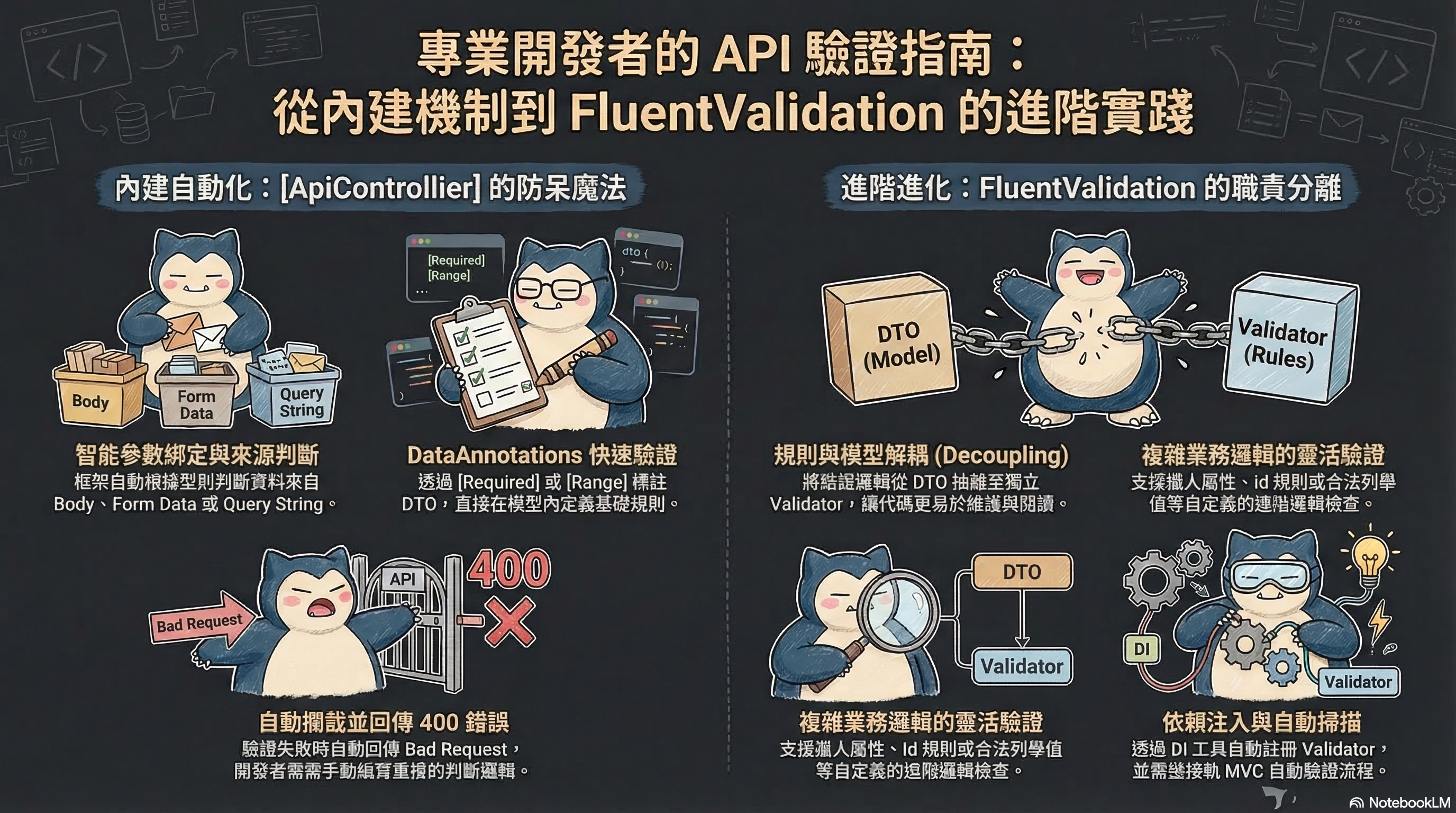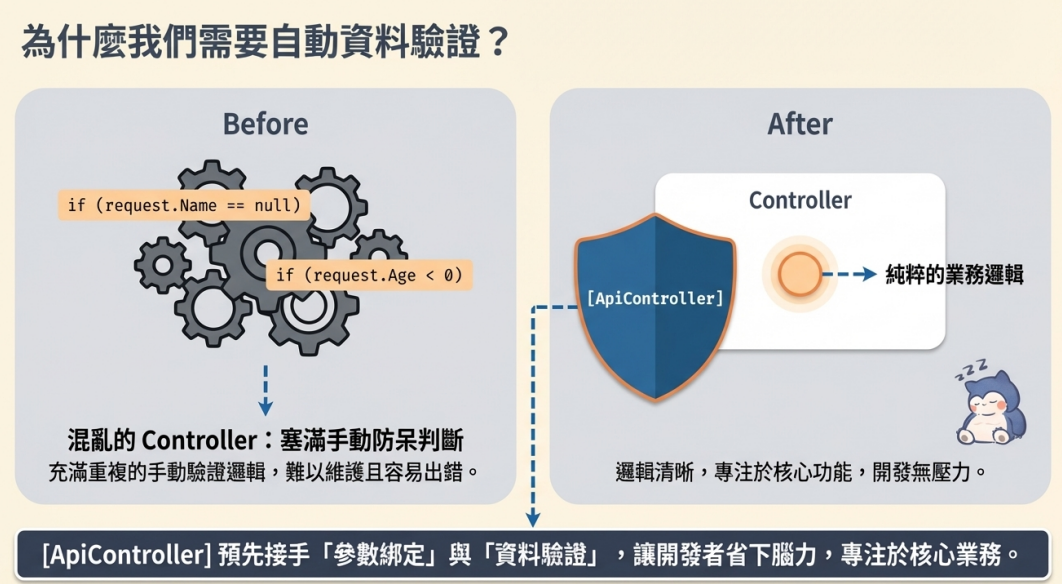
[ApiController] 這個 Attribute 會幫 ASP.NET Core Web API 預先接手一部分「參數綁定」和「資料驗證」的工作,讓 Controller 更像在專心處理業務邏輯,而不是一直重複寫防呆判斷。
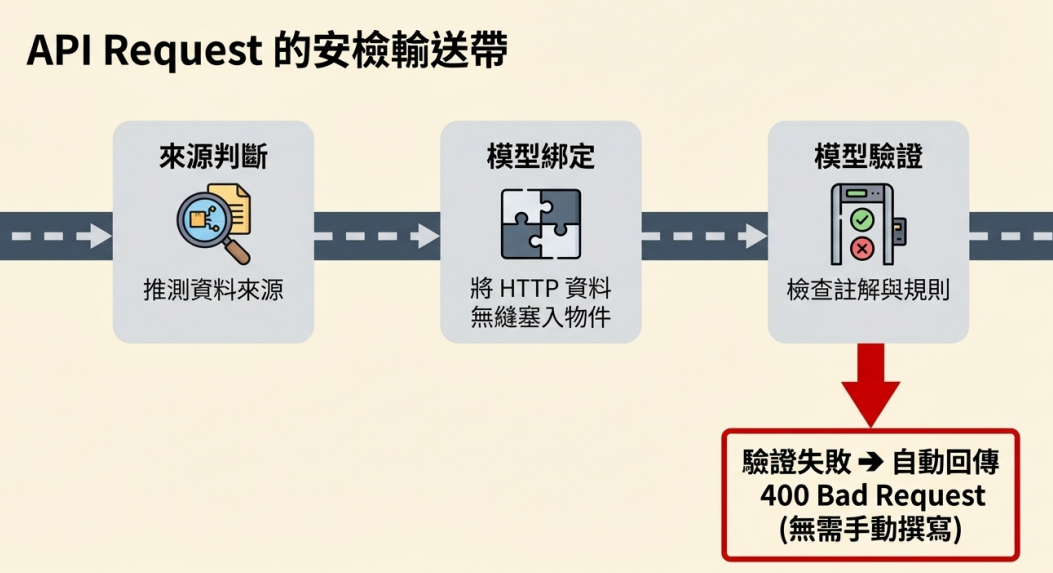
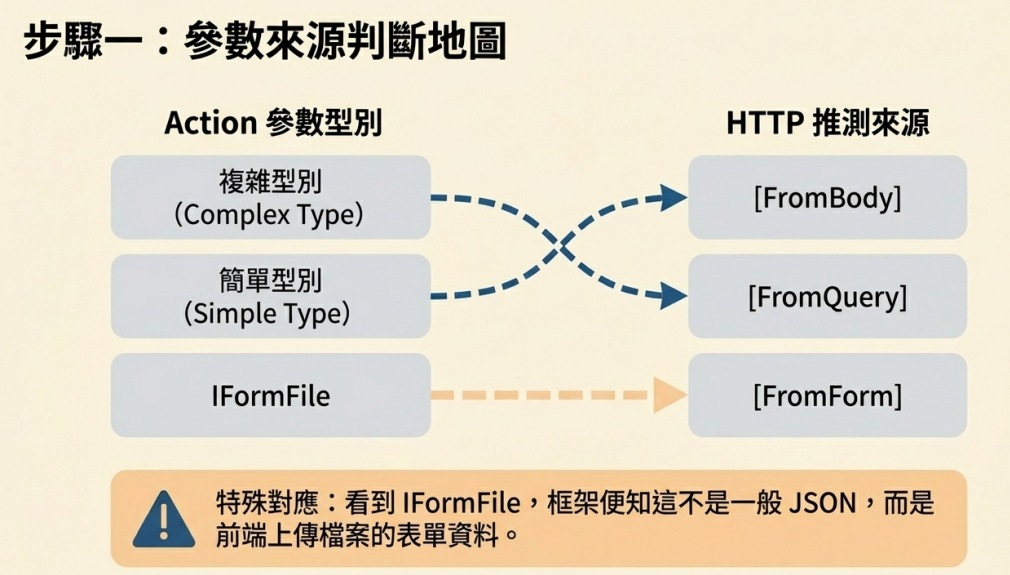
- 進來的 Request 先做參數來源判斷,ASP.NET Core 會先看 Action 參數的型別,推測資料應該從哪裡來
- 複雜型別,通常從 Request Body 取值
- IFormFile 或 IFormFileCollection,通常從 Form Data 取值,上傳檔案時,前端通常會送 multipart/form-data。[ApiController] 看到參數型別是 IFormFile 或 IFormFileCollection,就知道這不是一般 JSON,而是表單資料
- 簡單型別或其他一般參數,通常從 Query String 取值
框架自動做 Model Binding,也就是把 HTTP Request 裡的資料,塞進你的 Action 參數或 Model 物件裡。
綁定完後自動做 Model Validation,如果 Model 有資料註解,像 [Required]、[StringLength]、[Range] 這類規則,框架會幫你檢查。驗證失敗時,自動回傳 400 Bad Request
不用自己寫
1
2
3
4
| if (!ModelState.IsValid)
{
return BadRequest(ModelState);
}
|
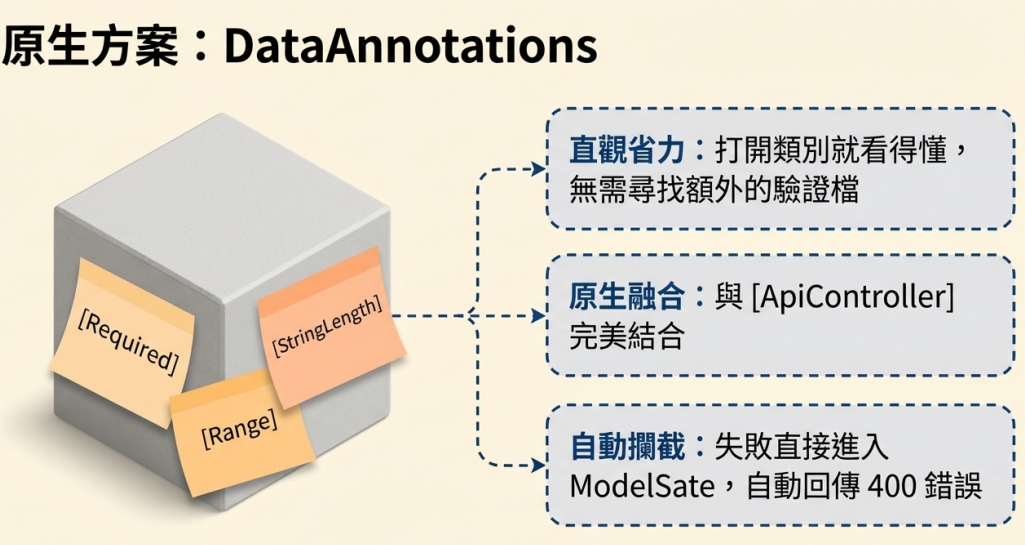
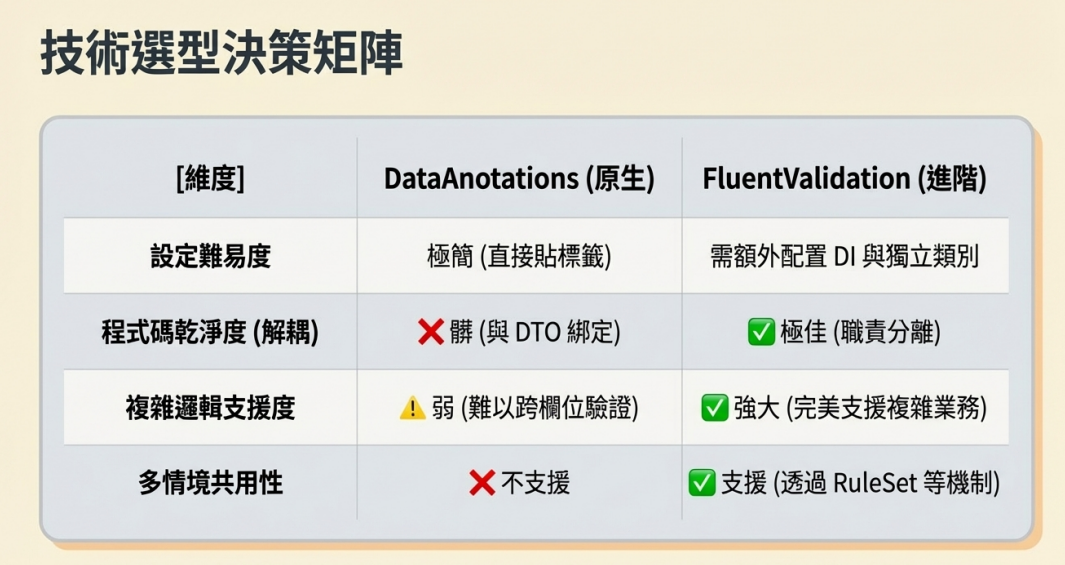
DataAnnotations 最強的地方就是省腦力,打開類別就看得懂,不用額外找驗證檔,ASP.NET Core 原生支援這條路,和 [ApiController] 融合,驗證失敗直接進 ModelState,自動回 400
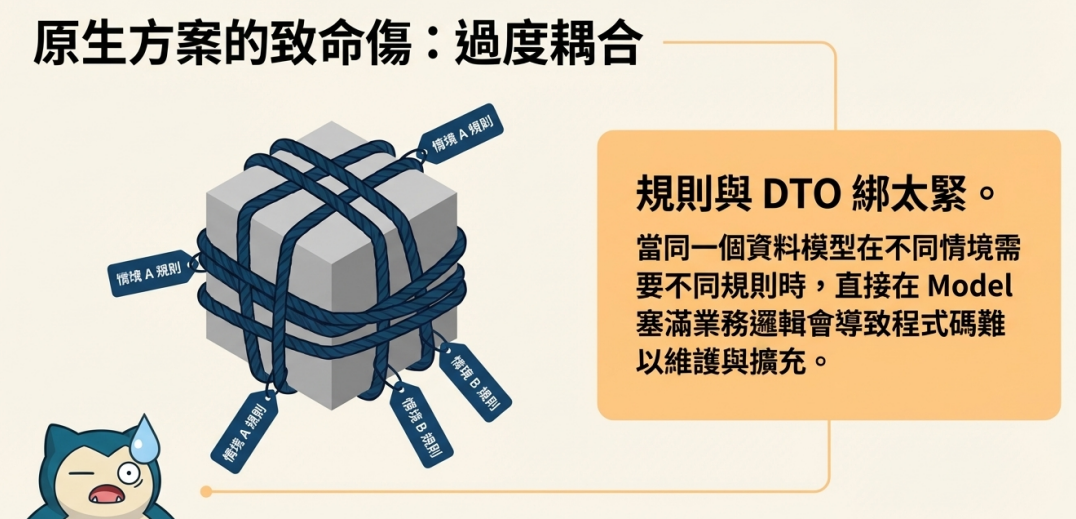
但規則和 DTO 綁太緊:如果同一個資料模型在不同情境需要不同規則時他是不適合放太多業務邏輯的
Hunter Attribute 案例
1
2
3
4
5
6
7
8
9
10
11
12
13
14
15
16
17
18
19
20
|
public class Hunter2
{
	[Required(ErrorMessage = "獵人名字不可為空!")]
	[StringLength(50, ErrorMessage = "獵人名字太長太難叫了!")]
	public string Name { get; set; }

	[Range(12, 120, ErrorMessage = "年紀不可以太小!")]
	public int Age { get; set; }

	[MustContainRenAbility(ErrorMessage = "獵人必須習得念")]
	public string[] SpecialAbilities { get; set; }

	[ValidHunterId(ErrorMessage = "無效的獵人ID")]
	public int Id { get; set; }

	[EnumDataType(typeof(HunterCategoryEnum), ErrorMessage = "不知道該分成哪一類獵人")]
	public HunterCategoryEnum HunterCategory { get; set; }
}
|
檢查獵人能力 Attribute
1
2
3
4
5
6
7
8
9
10
11
12
13
14
15
16
|
public class MustContainRenAbilityAttribute : ValidationAttribute
{
	protected override ValidationResult IsValid(object value, ValidationContext context)
	{
		var specialAbilities = value as string[];

		if (specialAbilities == null || specialAbilities.Contains("Ren") == false)
		{
			return new ValidationResult("獵人必須習得念!");
		}

		return ValidationResult.Success;
	}
}
|
檢查獵人Id Attribute
1
2
3
4
5
6
7
8
9
10
11
12
13
14
15
16
17
|
public class ValidHunterIdAttribute : ValidationAttribute
{
	protected override ValidationResult IsValid(object value, ValidationContext context)
	{
		var hunterId = (int)value;
		var hunterService = (IHunterService)context.GetService(typeof(IHunterService));

		if (hunterService.IsHunterValid(hunterId) == false)
		{
			return new ValidationResult("無效的獵人Id");
		}

		return ValidationResult.Success;
	}
}
|
測試結果
1
2
3
4
5
6
7
8
9
10
11
|
{
  "name": "",
  "age": 1,
  "specialAbilities": [
    "Sleep"
  ],
  "id": 0,
  "hunterCategory": "Pro"
}
|

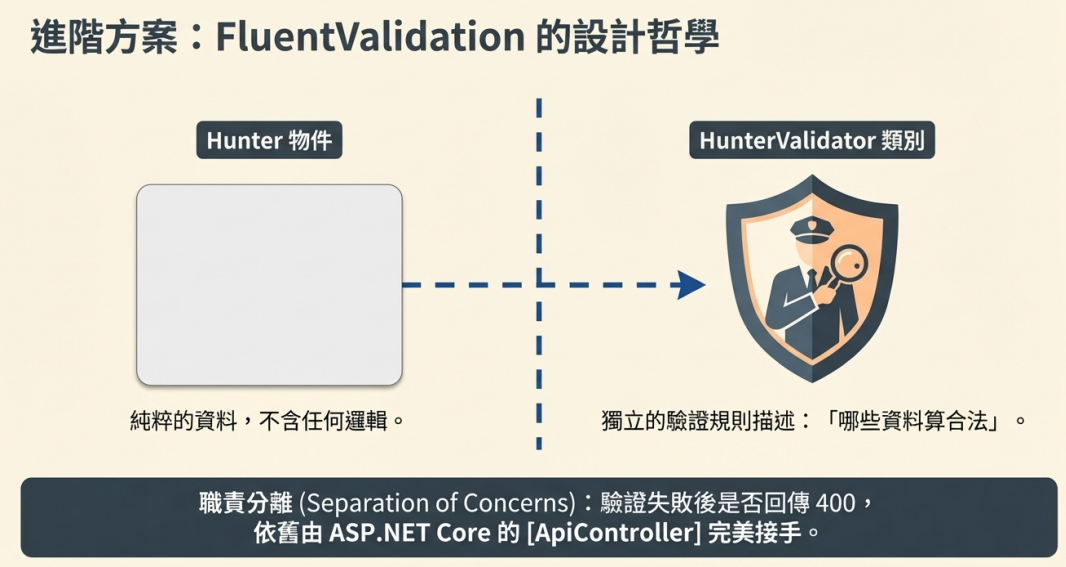
FluentValidation 在 ASP.NET Core 裡的定位,是把驗證規則從 Model 上的 Attribute 拆出來,改用獨立的 Validator 類別來描述「哪些資料算合法」;至於驗證失敗後要不要自動回 400,則是 ASP.NET Core 的 [ApiController] 幫忙處理
1
| Request 進來 → ModelBinding → FluentValidation → ModelState → [ApiController] 自動 400
|
套件
參考
FluentValidation.AspNetCore

裡面包含了 Fluent Validation 本體和 Dotnet Core 的 DI 工具,甚至支援 UnitTest
定義 Validator
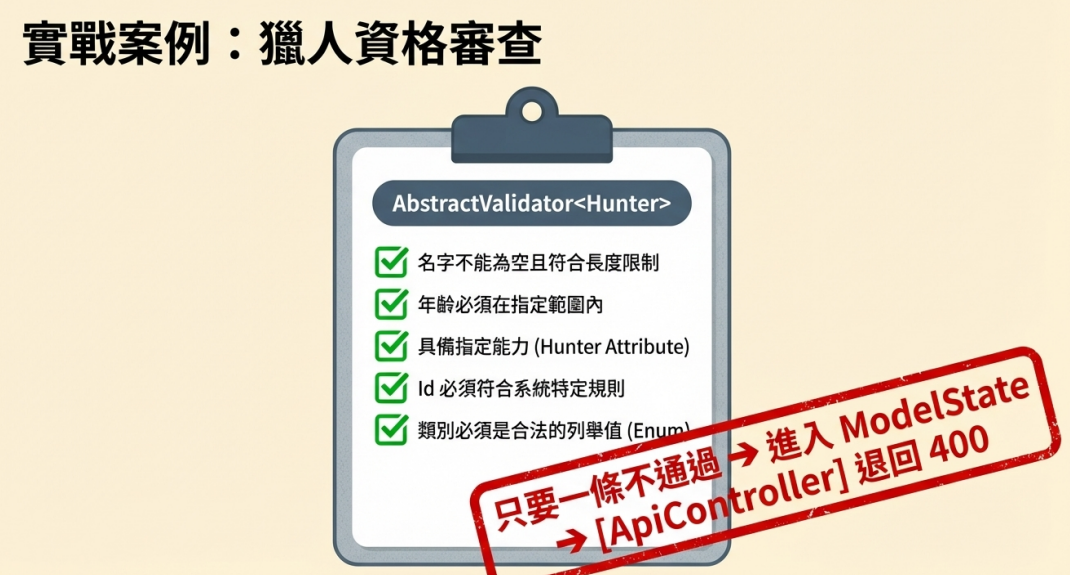
前端送來一份 Hunter 資料,ASP.NET Core 先把資料綁到 Hunter 物件,再交給 HunterValidator 去檢查
- 名字不能空
- 名字不能太長
- 年齡要在範圍內
- 能力清單裡要有指定能力
- Id 要符合系統規則
- 類別必須是合法列舉值
- 只要其中任何一條不通過,驗證結果就會進 ModelState,而 [ApiController] 看到有錯,就會直接回 400
繼承 AbstractValidator<Hunter>,意思就是這個 Validator 專門負責驗證 Hunter。未來只要有人拿 Hunter 去做驗證,就會跑進這份規則
1
2
3
4
5
6
7
8
9
10
11
12
13
14
15
16
17
18
19
20
21
22
23
24
25
26
27
28
29
30
31
32
33
34
35
36
37
38
39
40
41
42
43
44
45
46
47
|
public class HunterValidator : AbstractValidator<Hunter>
{
private readonly IHunterService _hunterService;
public HunterValidator(IHunterService hunterService)
{
_hunterService = hunterService;
RuleFor(hunter => hunter.Name)
.NotEmpty().WithMessage("獵人的名字不可為空!")
.MaximumLength(50).WithMessage("獵人名字太長太難叫了!");
RuleFor(hunter => hunter.Age)
.InclusiveBetween(12, 120).WithMessage("年紀不可以太小!");
RuleFor(hunter => hunter.SpecialAbilities)
.Must(this.ContainRenAbility).WithMessage("獵人必須習得念");
RuleFor(hunter => hunter.Id)
.Must( (hunter, cancellation) => _hunterService.IsHunterValid(hunter.Id))
.WithMessage("無效的獵人ID");
RuleFor(hunter => hunter.HunterCategory)
.IsInEnum().WithMessage("不知道該分成哪一類獵人");
RuleFor(hunter => hunter.SpecialAbilities).Custom((specialAbilities, context) =>
{
var requiredAbilities = new[] { "Ren", "Ten", "Zetsu", "Hatsu", "Ko" };
var missingAbilities = requiredAbilities.Except(specialAbilities).ToList();
if (missingAbilities.Any())
{
context.AddFailure($"獵人缺少以下能力: {string.Join(",", missingAbilities)}");
}
});
}
private bool ContainRenAbility(string[] abilities)
{
return abilities != null && abilities.Contains("Ren");
}
}
|
依賴注入
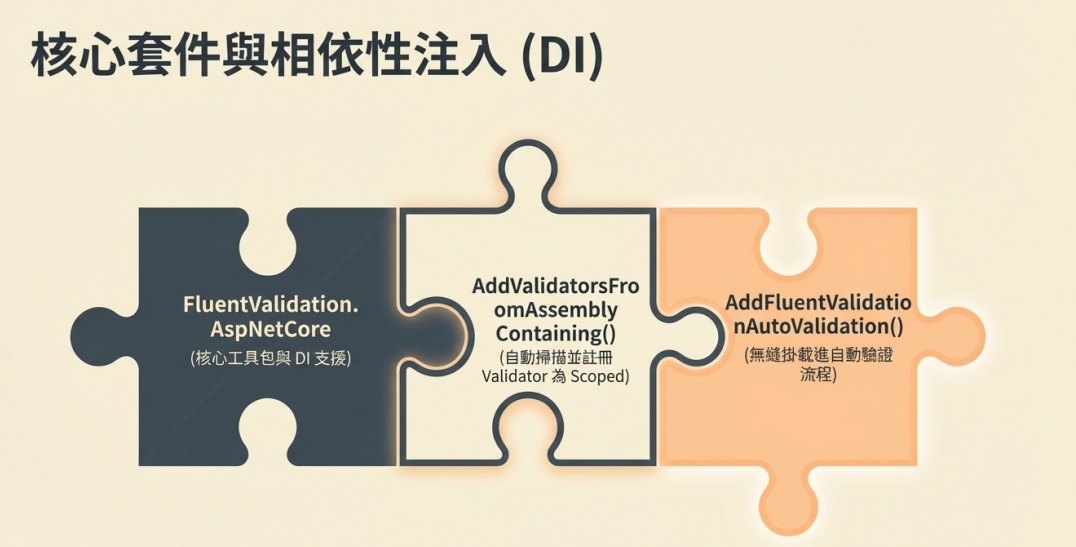
AddValidatorsFromAssemblyContaining() 會掃描指定組件中的公開 validator,預設註冊成 Scoped
1
2
3
4
5
6
7
|
builder.Services.AddFluentValidationAutoValidation()
.AddFluentValidationClientsideAdapters()
.AddValidatorsFromAssemblyContaining<HunterValidator>();
|
AddFluentValidationAutoValidation()
這一行的意思不是註冊 validator 本身,而是把 FluentValidation 接進 ASP.NET Core MVC 的自動驗證流程。也就是讓 request 進來後,在 Controller Action 執行前,自動呼叫 FluentValidation 去驗證模型
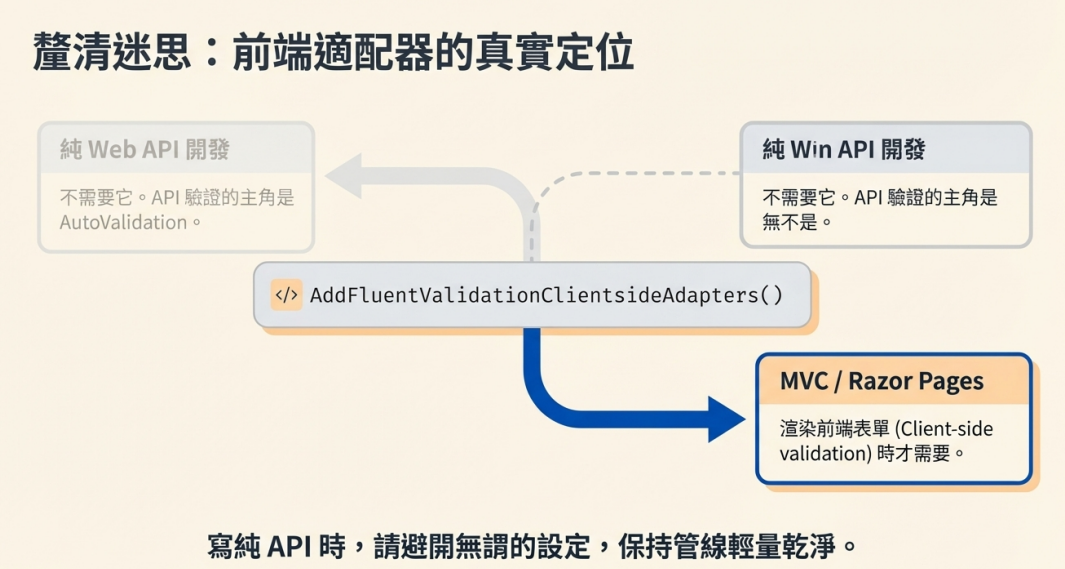
AddFluentValidationClientsideAdapters()
這主要是為了 MVC / Razor Pages 的 client-side validation adapter。如果現在是在寫純 Web API,通常它不是最核心的。它比較偏前端表單驗證整合,不是 API 驗證的主角
使用
1
2
3
4
5
6
7
8
|
[HttpPost]
[Route("testHunter")]
public IActionResult TestHunter(Hunter hunter)
{
	return Ok("Success!");
}
|
測試
1
2
3
4
5
6
7
8
9
10
11
12
|
{
  "id": 159,
  "name": "",
  "age": 1,
  "specialAbilities": [
    "Ren","Hatsu","Ko"
  ],
  "hunterType": "Transmuter",
  "hunterCategory": "Pro"
}
|

1
2
3
4
5
6
7
8
9
10
11
12
|
{
  "id": 159,
  "name": "Hisoka",
  "age": 19,
  "specialAbilities": [
    "Ren","Hatsu","Ko","Ten","Zetsu"
  ],
  "hunterType": "Transmuter",
  "hunterCategory": "Pro"
}
|