WebAPI
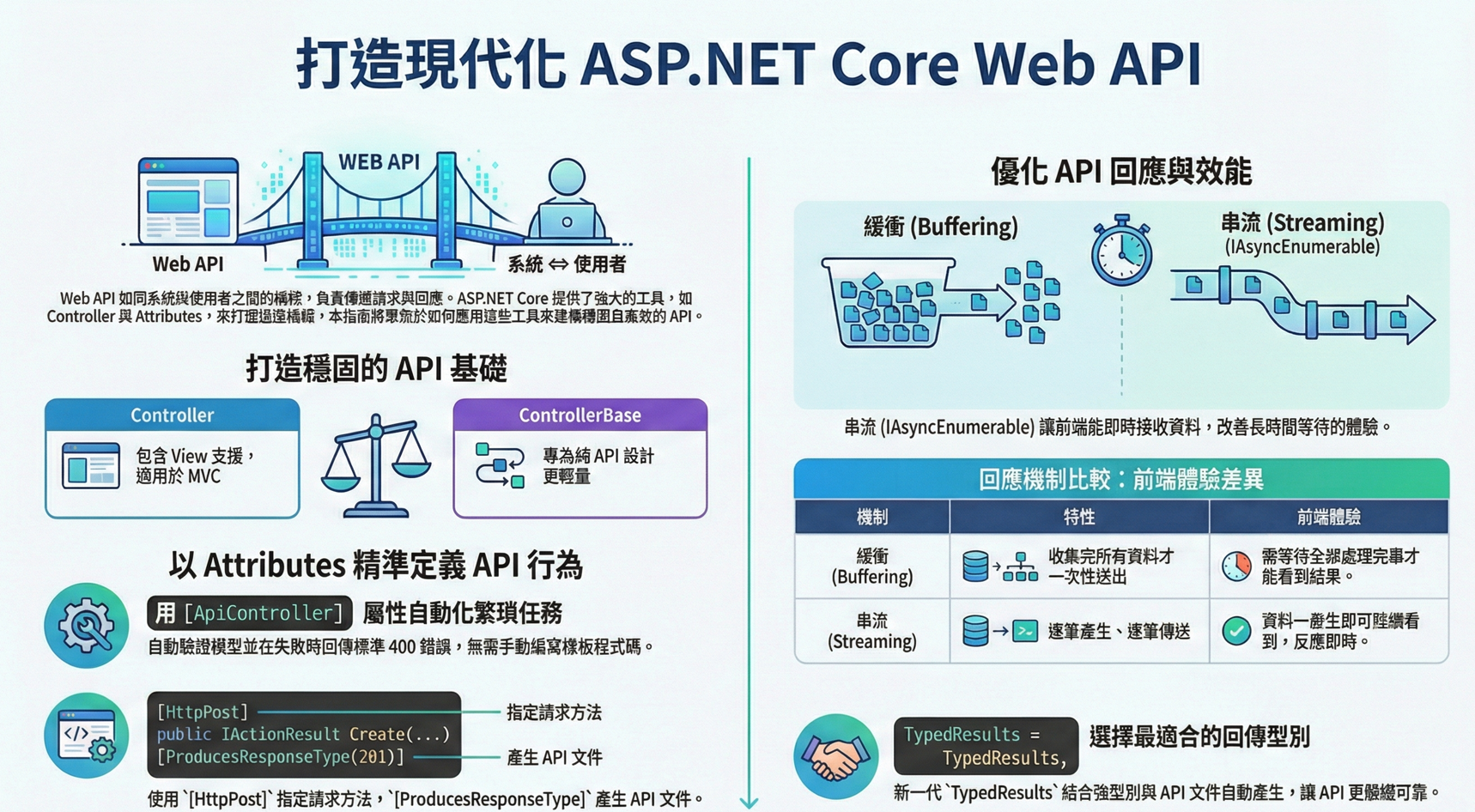
在我眼中,Web API 就像是一座小小的「橋樑」,一邊是使用者,他們可能透過手機、網頁,甚至 IoT 裝置提出需求,一邊則是我們的系統,安靜地等待著請求,準備回應。Controller 與 ControllerBase 就像這座橋樑的守門人,決定了資訊要如何被傳遞、如何被呈現
而我們依據「交付介質」決定地基:HTML 畫面需要完整的 View 引擎支援,而純數據傳輸應保持輕量無負擔,有些橋樑華麗,鋪上了燈飾與雕花(Controller,帶著 View 的世界),適合人群來往、熱鬧非凡;有些橋樑則簡單而純粹(ControllerBase,專注於 API),只管讓資料穩穩地走過去,沒有多餘的裝飾
我們現在散步在 WebApi 的世界中。走過這些橋樑,一邊看風景,一邊理解它們的職責與差異。會發現,無論是繁華還是簡約,Web API 的核心,始終是讓兩端能夠順暢而真誠地溝通
在 ASP.NET Core 裡,Controller 與 ControllerBase 的差別是
- Controller:繼承自 ControllerBase,並且加入「View 支援」。適合用在 MVC,有畫面需要回傳 View 的情境
- ControllerBase:只有處理 Web API 要求 所需的功能,不包含 View。適合純粹的 API 專案
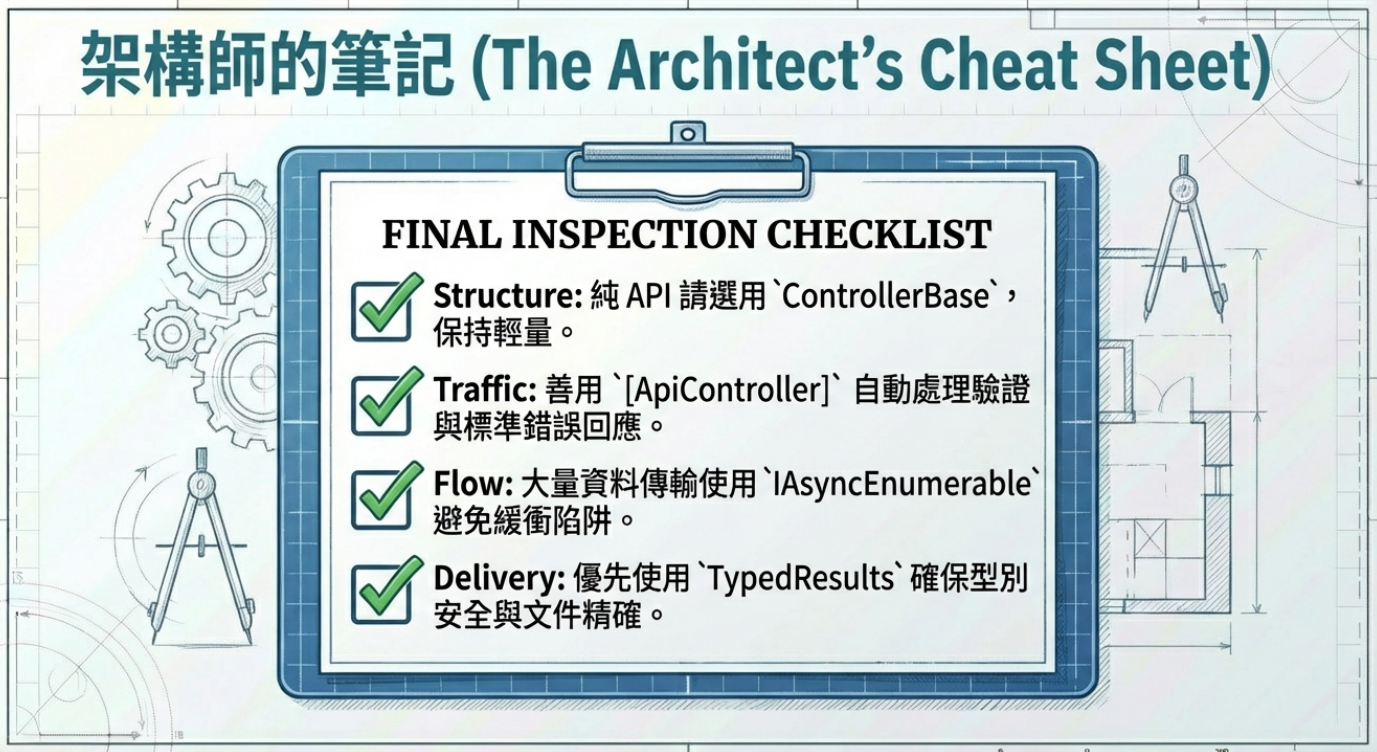
如果同一個控制器需要同時支援 View + API,就用 Controller。如果只寫 API,就用 ControllerBase

公司形象官網
使用者點擊「關於我們」,伺服器需要回傳一個包含 CSS 與圖片佈局的 About.cshtml 頁面,因此選擇了 Controller
手機 App 後端
App 發送請求查詢「最新商品列表」,伺服器只需要回傳一個純文字的 JSON 陣列,不需要任何 HTML 標籤。因此選擇 ControllerBase
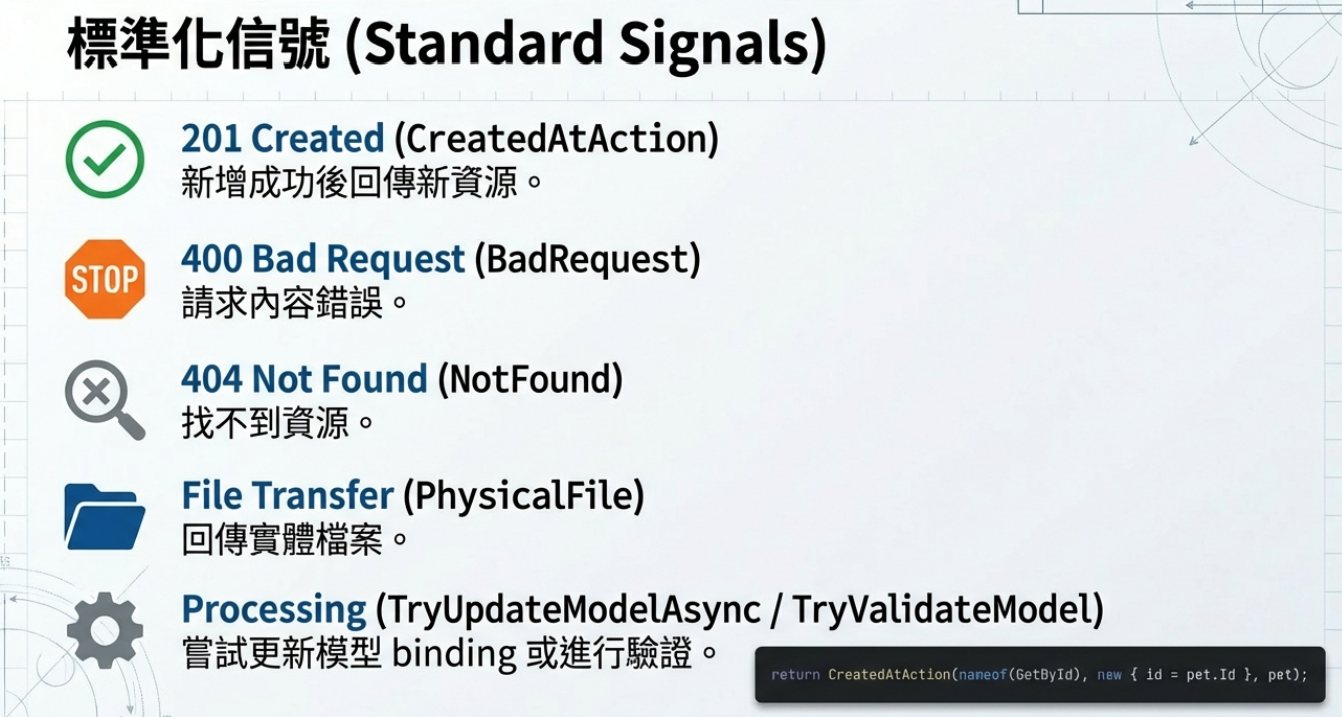
- CreatedAtAction() → 回傳 201 Created 狀態碼,常用在新增成功後回傳新資源。
- BadRequest() → 回傳 400 Bad Request。
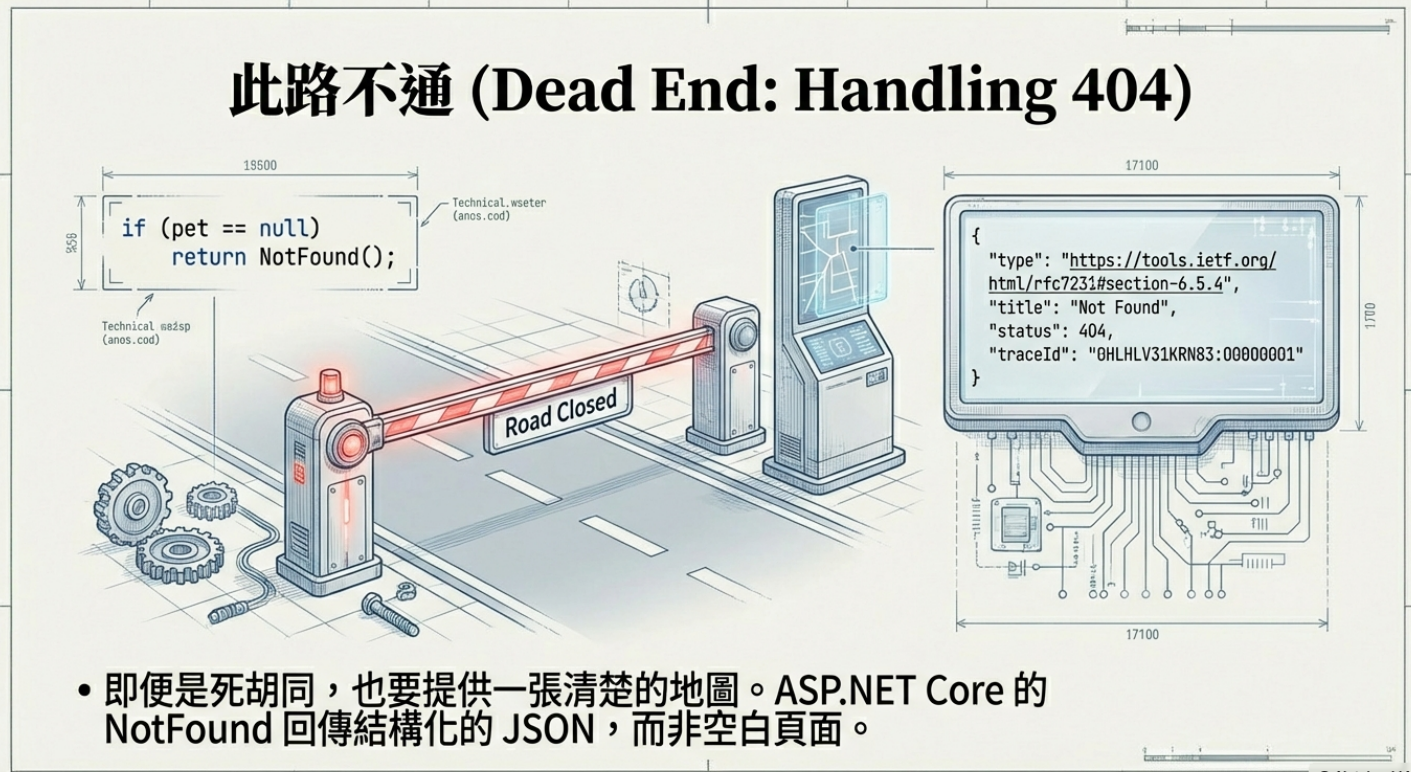
- NotFound() → 回傳 404 Not Found。
- PhysicalFile() → 回傳實體檔案。
- TryUpdateModelAsync() → 嘗試更新模型並做 Model Binding。
- TryValidateModel() → 嘗試做 Model 驗證。
📦 範例
1 | return CreatedAtAction(nameof(GetById), new { id = pet.Id }, pet); |
回傳 201 Created告訴呼叫端「這個資源已建立,你可以用 GetById + id 來取得它」,Response Body 直接帶回剛建立好的 pet,前端拿到後可以直接顯示資料或用回傳的 location 再打一次 API
NotFound
1 | if (pet == null) |
1 | { |
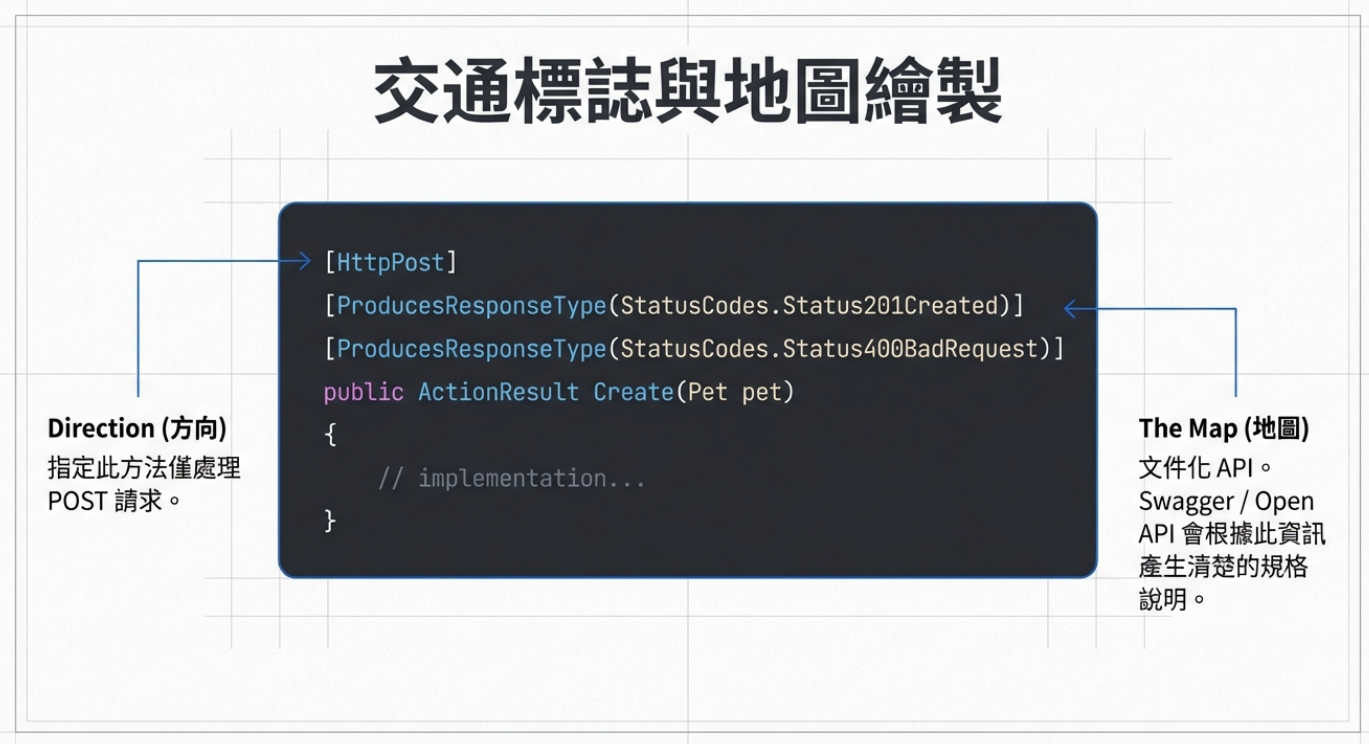
在 WebAPI 裡,我們常用 Attributes 來修飾 Action 方法,指定它如何處理 HTTP 要求
1 | [] |
[HttpPost] → 指定這個方法只處理 POST 請求
[ProducesResponseType] → 文件化 API,說明可能回傳的狀態碼與內容。Swagger / OpenAPI 文件就會根據這些資訊,產生更清楚的 API 規格
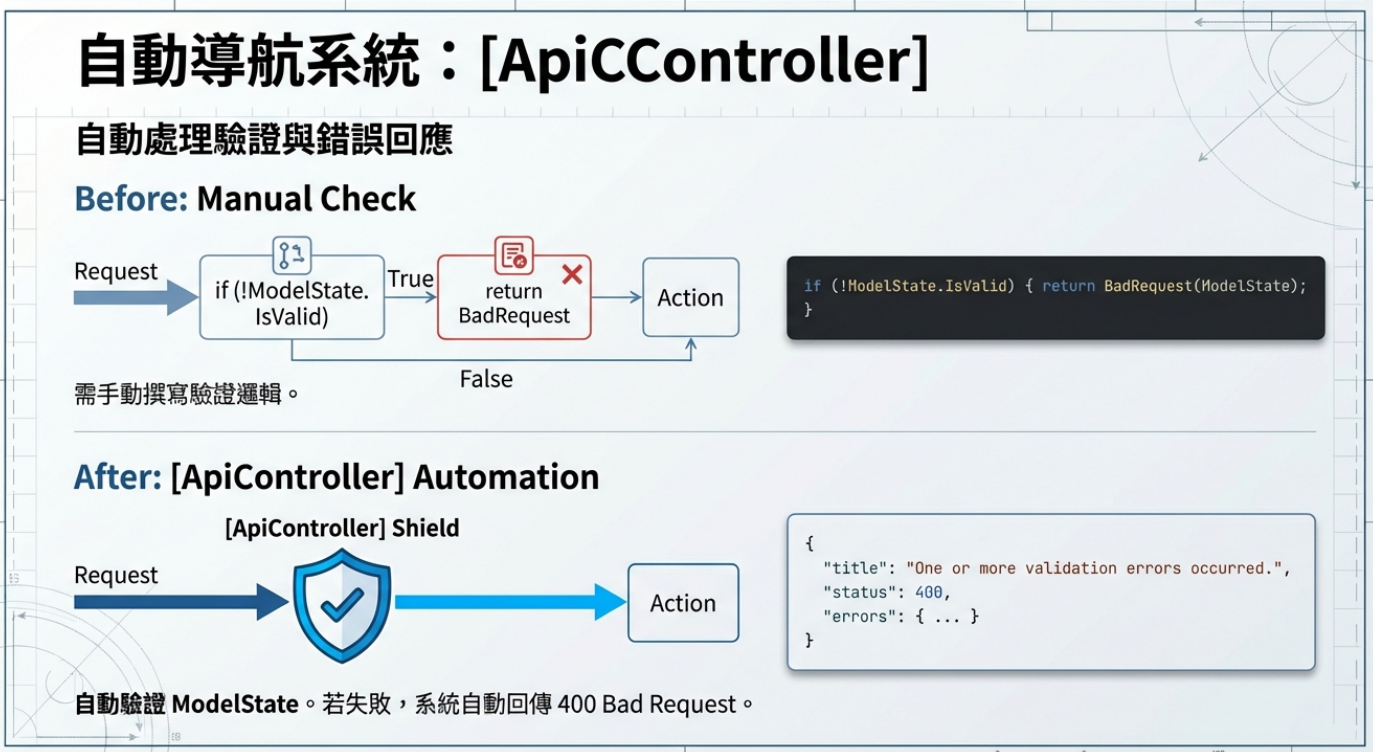
[ApiController] → 會自動幫你做一些常見處理
ApiController - 自動驗證 ModelState
如果模型驗證失敗,系統會自動回傳 400 Bad Request,不用自己寫
1 | if (!ModelState.IsValid) |
自動產生錯誤回應
回傳格式會是 ValidationProblemDetails,例如
1 | { |
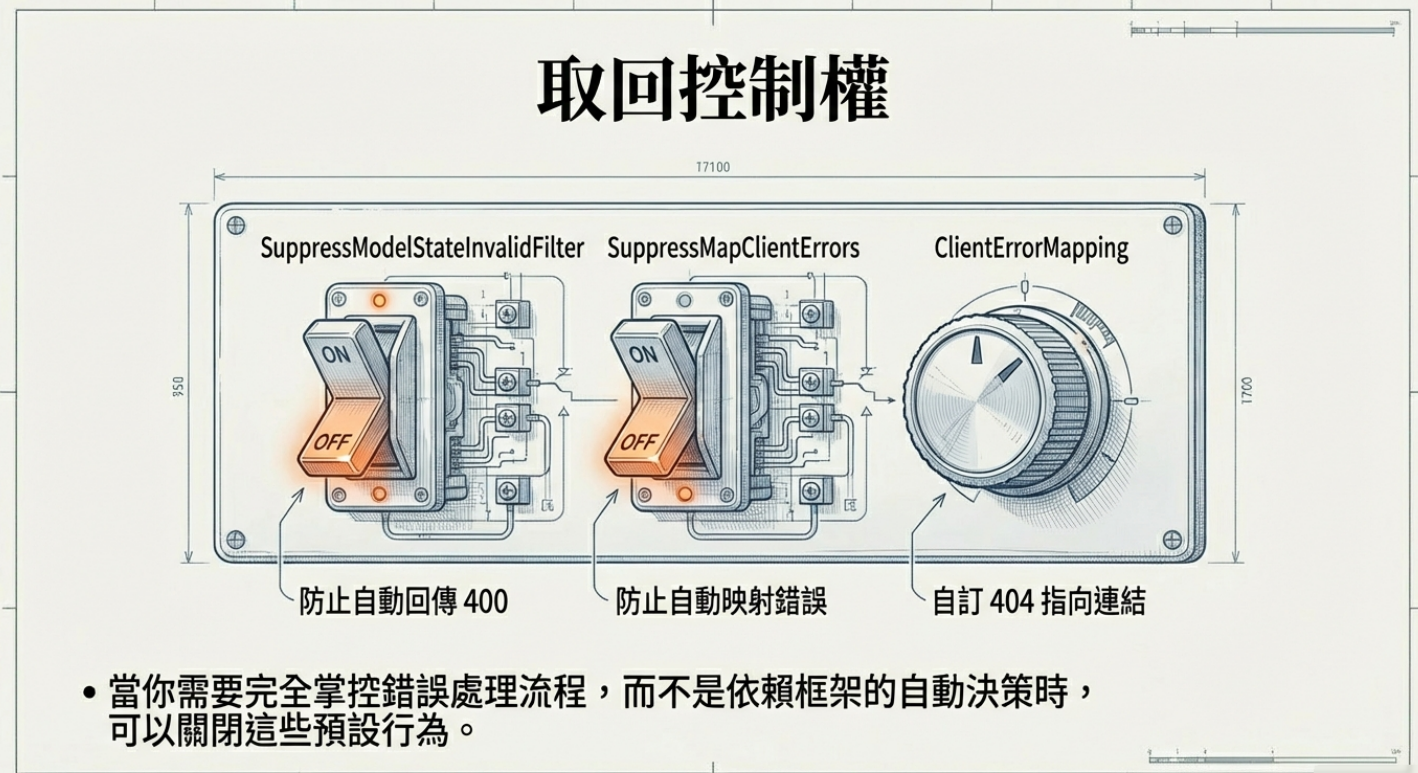
自訂 ASP.NET Core Controller 在「Model 驗證失敗」時的回應行為(InvalidModelStateResponseFactory),在不破壞預設行為的前提下,把該留下的線索留下來(例如 logging)
1 | var builder = WebApplication.CreateBuilder(args); |

關掉的是「框架替你做決定的那一刻」,把「什麼是錯、要怎麼回」的主導權,從 ASP.NET Core 手上拿回來
1 | var builder = WebApplication.CreateBuilder(args); |
Buffer (緩衝區) 本質上就是一塊記憶體,用來存放「還沒送出的資料」。某些序列化器(Newtonsoft.Json / XML Formatter)需要知道完整集合的大小或結構,才能正確輸出。所以 ASP.NET Core 只能等全部資料都準備好,才能送
Controller開始執行- 把所有
yield return的資料收集到一個清單 - JSON 序列化器把清單轉成完整 JSON 字串
- 一次性把完整 JSON 寫進 Response
- 前端才收到資料
➡️ 前端必須等「最後一刻」,才會拿到任何東西
假設你寫了這樣的 API
1 | public IEnumerable<int> GetNumbers() |
以為會第 1 秒前端收到 0、第 2 秒收到 1看起來像 streaming,而實際前 5 秒:前端完全沒資料、第 5 秒結束後:一次收到 [0,1,2,3,4],它被強制「跑完一整輪」才准輸出
JSON 不是流水帳,而是有頭有尾的格式,沒看到結尾就沒辦法安心開頭,「正確性優先」,不是「即時性優先」

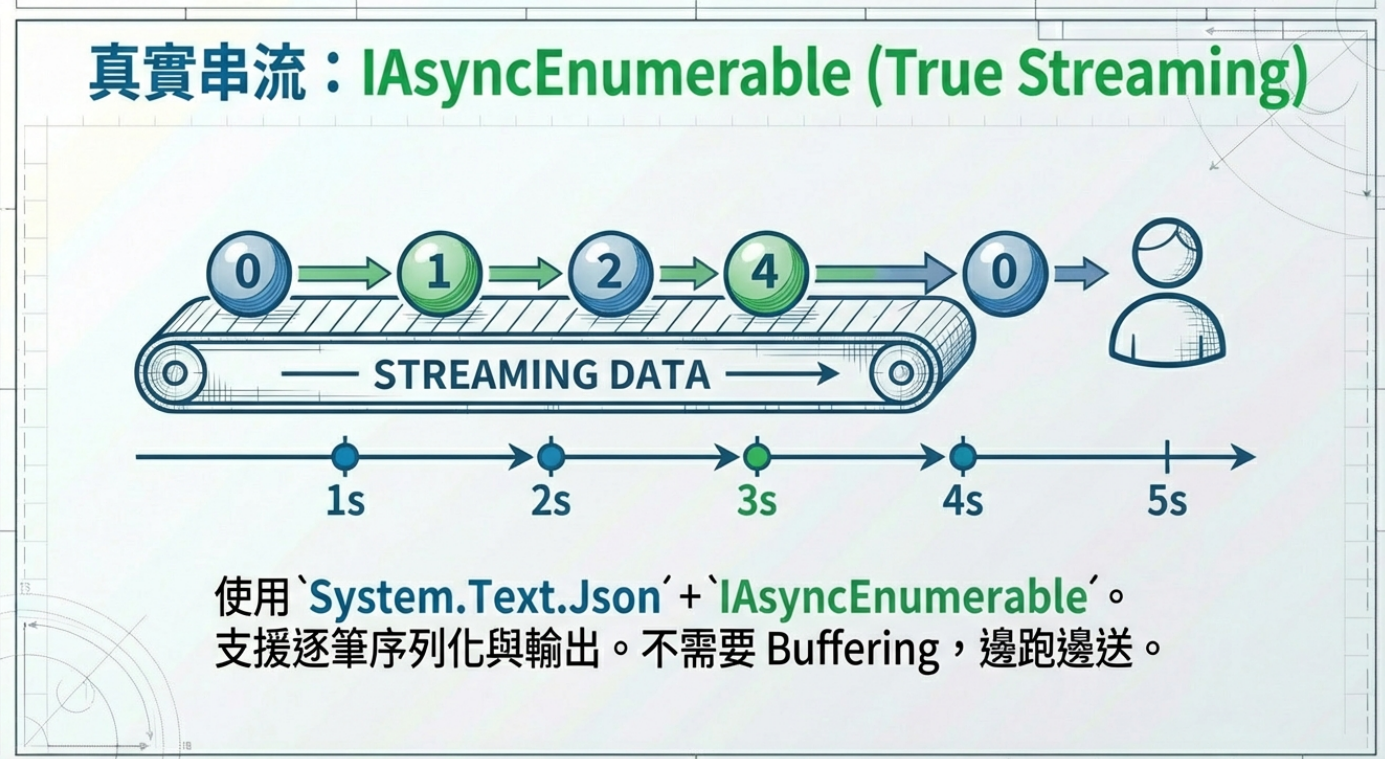
ASP.NET Core 使用 IAsyncEnumerable<T> 進行 Streaming(逐筆序列化、逐筆輸出)
- Controller 開始執行
- 第一筆資料產生,馬上被序列化
- 立刻寫進 Response,前端可以收到這筆資料
- 下一筆資料出來,再寫進 Response
- 重複,直到所有資料傳送完畢
➡️ 前端可以「邊等邊收到資料」,不用等全部完成
System.Text.Json + IAsyncEnumerable<T> 支援逐筆序列化與輸出,所以能邊跑邊送,不需要 Buffering。
Buffering:一定要等電影全拍好、全剪好,打包成一整部電影檔案,才能播放。觀眾要等完整影片檔才看到第一個畫面Streaming:邊拍邊直播,攝影機一拍馬上送到螢幕,你可以即時看到
一個 Action 方法可能有「多種可能回應」
例如:
- 找到資料 → 回傳 200 OK 和資料。
- 找不到資料 → 回傳 404 Not Found。
- 請求內容不正確 → 回傳 400 Bad Request。
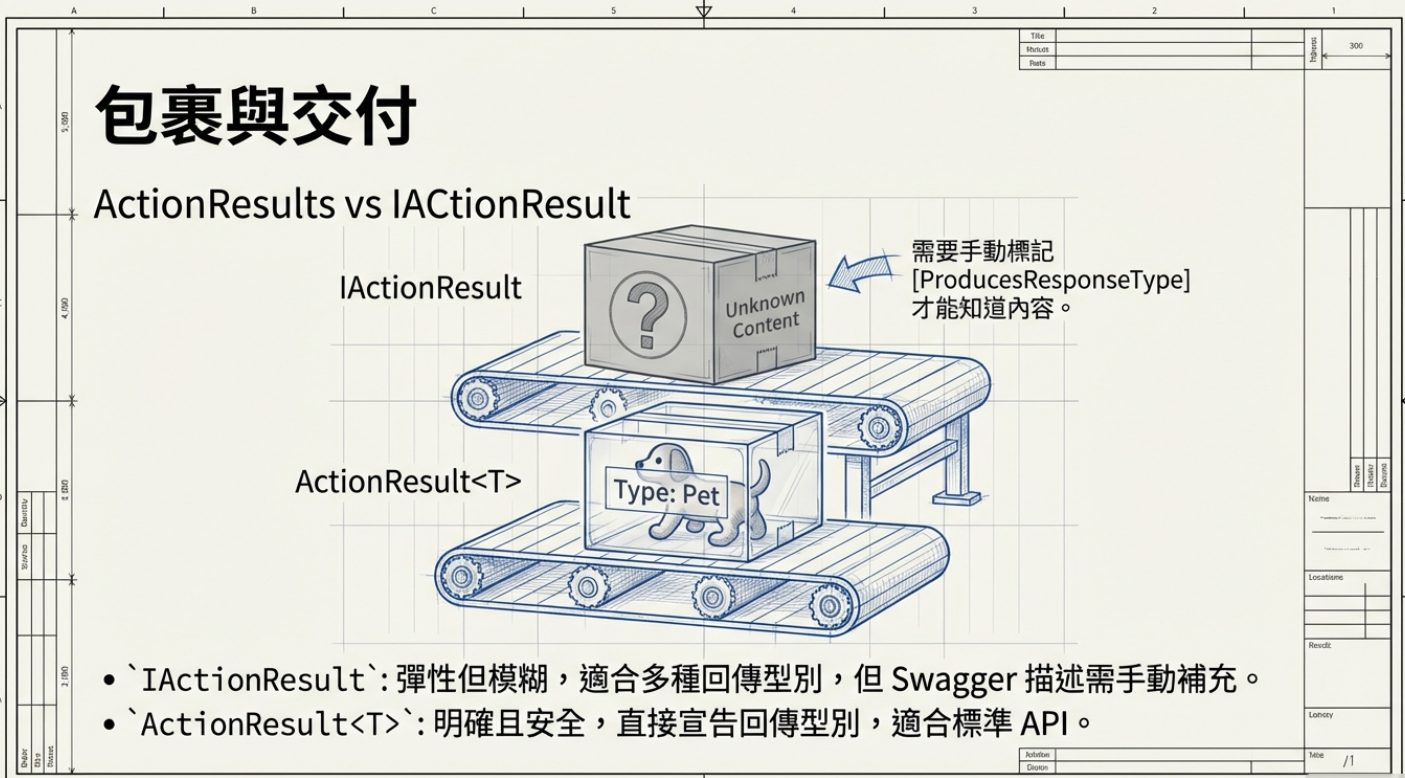
因為回傳結果不只一種,所以用 ActionResult/IActionResult 來彈性表示「任何合法的 HTTP 狀態回應」。IActionResult 是介面(interface),代表一個結果。ActionResult 是一個實作類別,它支援更多功能,也能讓你直接回傳模型物件,例如 ActionResult
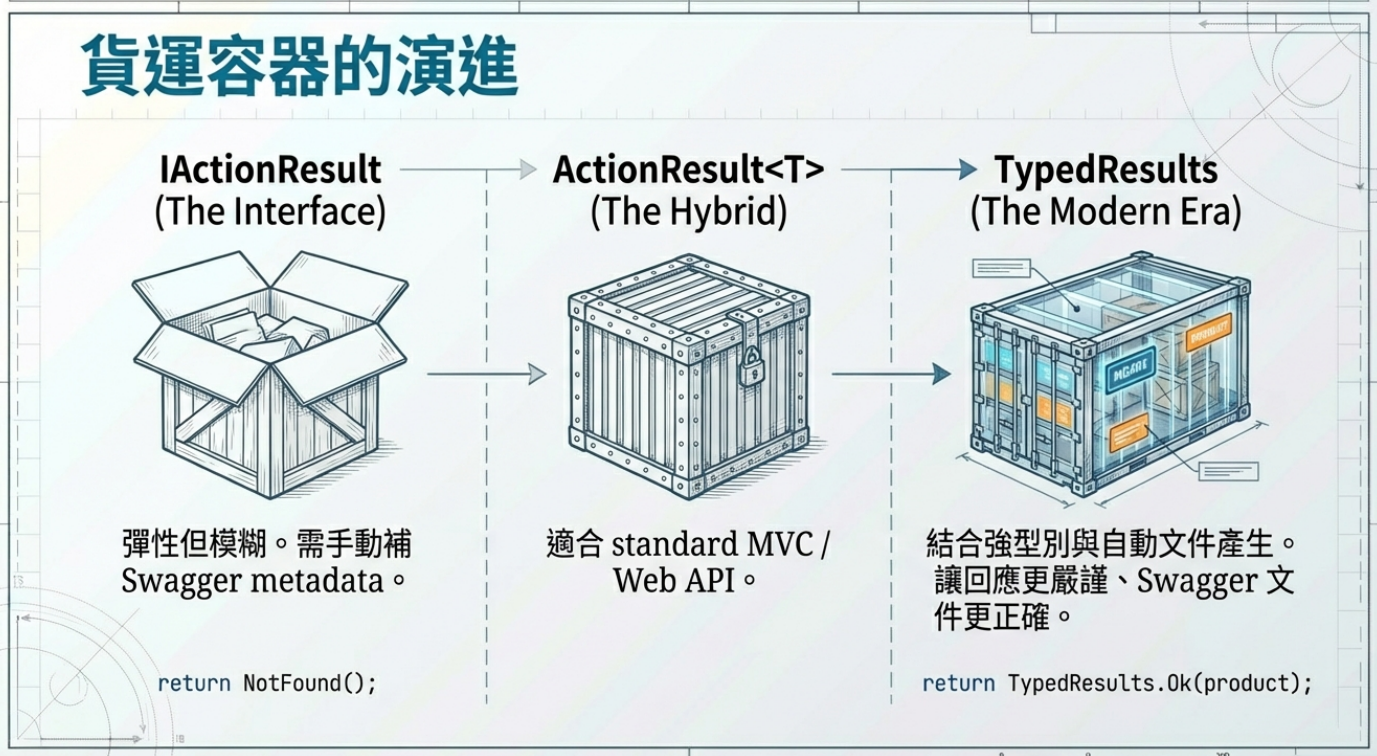
IActionResult 比較舊、在 MVC 和 Web API Controller 常用,需要手動補 Swagger metadata
1 | [] |
Minimal API 引進的簡化方式,但沒有型別資訊
1 | app.MapGet("/products/{id}", (int id, ProductContext db) => |
新一代做法,結合強型別與 API 文件自動產生,讓 回應更嚴謹、Swagger 更正確
1 | [] |
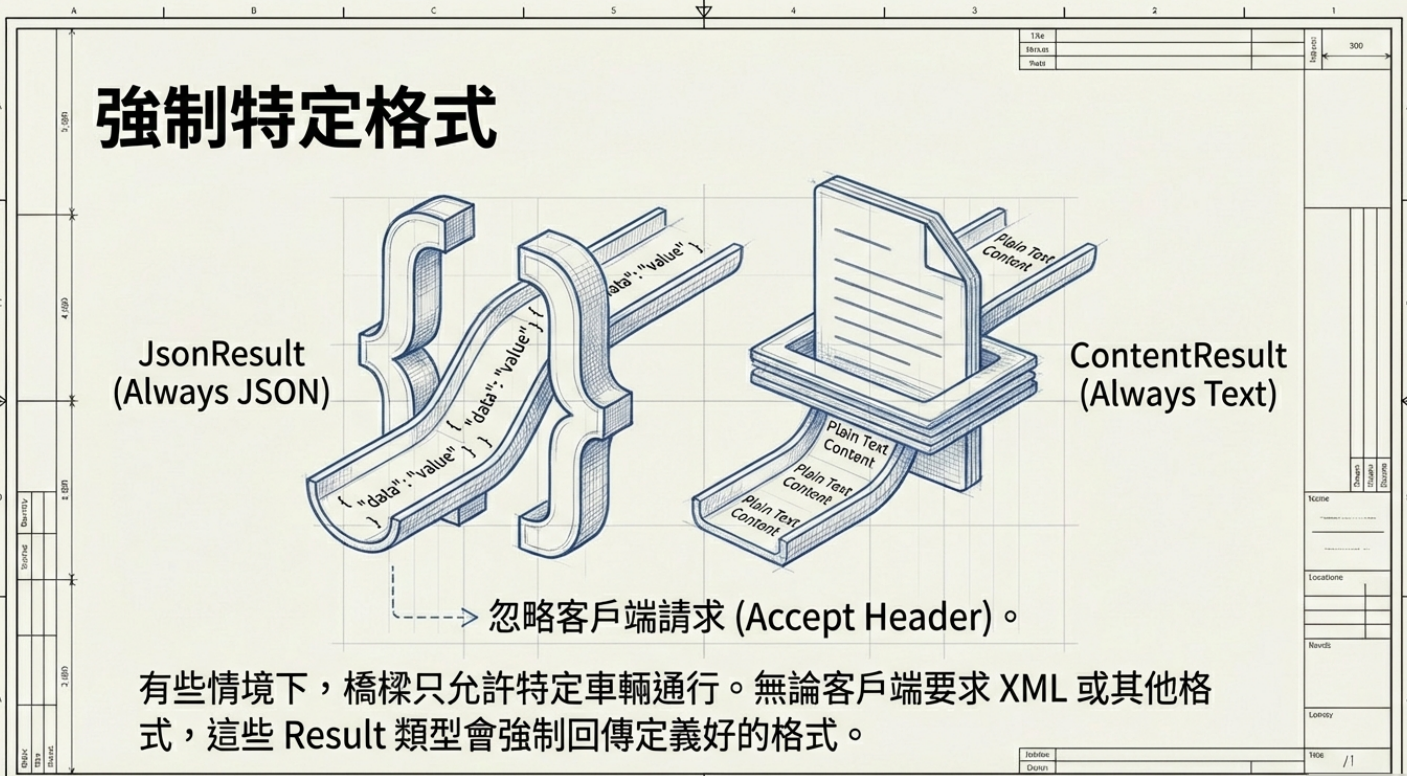
一些 ActionResult 是「綁定特定格式」的,例如:
- JsonResult → 永遠回傳 JSON 格式
- ContentResult → 永遠回傳純文字(text/plain)
即使用戶端要求不同的格式(透過 Accept header),這些結果也會堅持回傳固定格式